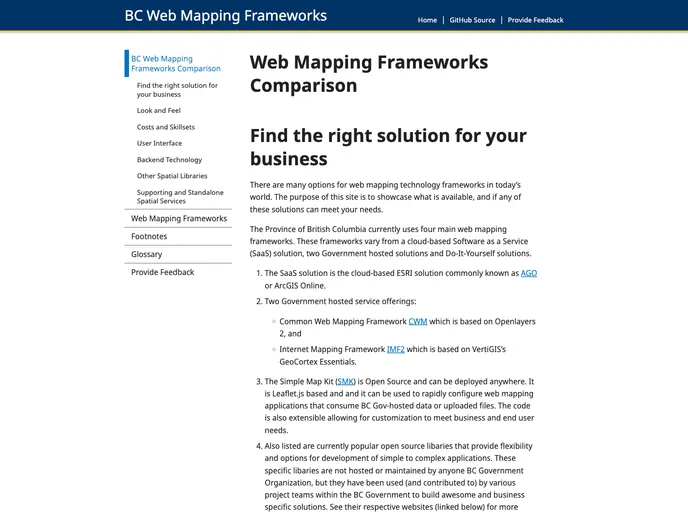
Overview:
BCWebMaps-Options is a web mapping technological solution developed by BC Web Mapping. It offers a range of features and experiences for users. The development team is actively working on adding new features and enhancements to improve the functionality and user experience of the product. In addition to the features, the team provides documentation, development guides, and valuable guidelines for contributing to the project. The team focuses on maintaining quality, following best practices, and ensuring secure handling of credentials. The development process involves forking, pull requests, and code merging. The team also emphasizes the use of a specific style guide for writing Git commit messages.
Features:
- New Feature Additions: The development team is actively adding new features and enhancements to the BCWebMaps-Options product to enhance its functionality.
- Design Theme: The product offers a visually appealing design theme, creating an intuitive and user-friendly interface.
- Development Guide: Users can refer to the development guide provided by BC Web Mapping to understand the technical aspects and explore different functionalities of BCWebMaps-Options.
- Contributing Guidelines: BCWebMaps-Options welcomes contributions from users. Before making any changes, users are advised to review the contributing guidelines to ensure smooth collaboration and adherence to development standards.
- Best Practices: The team encourages users to follow best practices, especially when it comes to handling, passing, and storing credentials, to ensure the security of sensitive information.
- Forking Process: The development process involves forking, where contributors can create their own copy of the project to propose changes. The team provides detailed information and best practices for forking.
- Pull Requests: Contributors can submit pull requests to propose changes or additions to the codebase. The team provides guidelines for reviewers and emphasizes the importance of thorough code review before merging.
- Git Commit Messages Style-Guide: BCWebMaps-Options follows a specific style guide for writing Git commit messages. Usage of present tense, imperative mood, and character limit for the first line ensures clarity and consistency in commit messages.
Installation:
To install BCWebMaps-Options, please follow the steps below:
- Clone the GitHub repository using the following command:
git clone [repository-url]
- Install Jekyll and Ruby, if not already installed, by following the official documentation:
[link-to-jekyll-installation-guide]
- Navigate to the cloned repository on your local machine:
cd [repository-directory]
- Install the required dependencies:
- Start the local development server:
- Access BCWebMaps-Options in your web browser by visiting
http://localhost:4000. - You can now explore and utilize the features of BCWebMaps-Options.
Summary:
BCWebMaps-Options is a web mapping technological solution that offers a range of features and experiences. The development team is actively adding new features and enhancements to address user requirements. Along with the product, they provide documentation, development guides, and guidelines for contributing. Users are advised to follow best practices and ensure secure handling of credentials. The development process involves forking, pull requests, and code merging. Additionally, the team emphasizes the importance of following a style guide for writing Git commit messages. Through its features and well-defined processes, BCWebMaps-Options aims to provide an efficient and user-friendly web mapping solution.