Overview
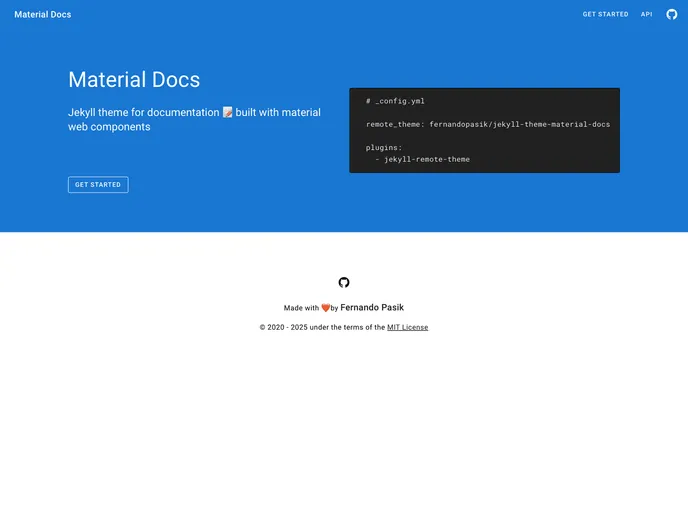
Material Docs is a Jekyll theme specifically designed for creating documentation websites. It is built with material web components, providing a modern and clean design. Material Docs is a ruby gem and can be easily installed to integrate with your Jekyll site.
Features
- Material Web Components: Material Docs is built using material web components, offering a sleek and modern design for documentation websites.
- Easy Installation: The theme can be installed via remote theme or by adding it to your Jekyll site’s Gemfile, making the setup process simple and straightforward.
- Responsive Design: The theme is fully responsive, ensuring that your documentation will look great on all devices.
- Clean and Intuitive Layout: Material Docs provides a clean and intuitive layout, making it easy for users to navigate and find the information they need.
- Customization Options: The theme allows for customization to match your branding and style guidelines.
- Code Highlighting: Material Docs includes code highlighting functionality, making it easy to display and read code snippets within your documentation.
- Search Functionality: The theme comes with built-in search functionality, allowing users to quickly search for specific topics or keywords within the documentation.
- MIT License: Material Docs is released under the MIT license, allowing you to use and modify the theme according to your needs.
Installation
Via remote theme:
- Add the following line to your Jekyll site’s _config.yml file:
remote_theme: <theme-github-username>/<theme-github-repo>
- Replace
<theme-github-username> and <theme-github-repo> with the username and repository name of the Material Docs theme.
Via gems:
- Add the following line to your Jekyll site’s Gemfile:
- Add the following line to your Jekyll site’s _config.yml file:
- Execute the command
bundle install to install the theme’s dependencies.
Manual installation:
- Clone or download the Material Docs theme repository.
- Copy the theme files to your Jekyll site’s folder.
- Add the following line to your Jekyll site’s _config.yml file:
- Execute the command
bundle install to install the theme’s dependencies.
Summary
Material Docs is a Jekyll theme designed for documentation websites. It offers a modern and clean design using material web components. The theme provides various features such as responsiveness, code highlighting, search functionality, and customization options. Installation can be done via remote theme or by adding the theme as a gem to your Jekyll site. Material Docs is licensed under the MIT license, allowing for flexibility and modification.