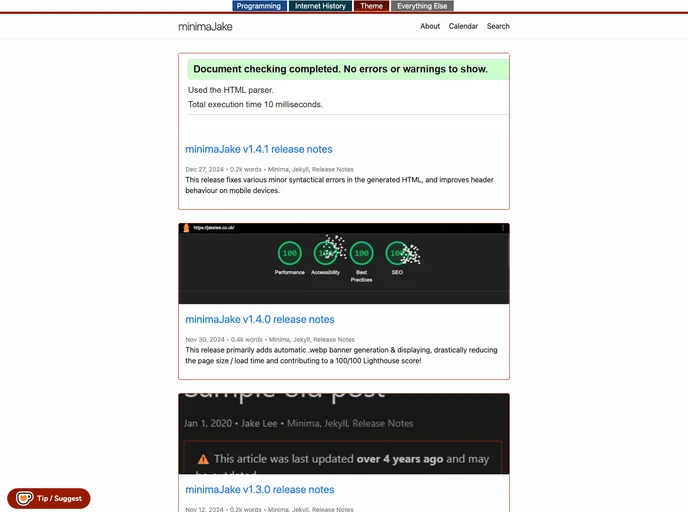
MinimaJake screenshot

MinimaJake

Author Avatar Theme by Jakesteam
Updated: 27 Dec 2024
5 Stars

Minima, but with the missing functionality added

Categories

Overview

minimaJake is a fork of the default minima theme used by Jekyll. It aims to add functionality to minima without any unnecessary bloat. The theme is primarily used by JakeSteam to host personal, programming, and internet history sites.

Features

  • Native (liquid) features: This theme offers several native features such as a table of contents, linkable headers, a tag system, pagination improvements, end of post call to action, and a social & meta link system in the footer.
  • Network site picker: Users can choose from a selection of network sites to display on their site.
  • Third-party features: minimaJake integrates with third-party services like search, Giscus comments, and a configurable Ko-fi donation button & floating prompt.
  • Design changes: The theme includes design changes like banner images and an accent color system.

Installation

To use minimaJake, follow these steps:

  1. Copy the _config.yml file from one of the blogs using this theme.
  2. Update the name, accent color, and other desired settings in the _config.yml file.
  3. Import the minimaJake theme by adding remote_theme: JakeSteam/minimaJake to the _config.yml file.
  4. Optionally, specify a specific release from the releases page by adding @1.0.2 after JakeSteam/minimaJake.

Summary

minimaJake is a minimalist theme for Jekyll that builds upon the default minima theme. It offers a range of features including native functionality like a table of contents, linkable headers, and a tag system. It also integrates with third-party services and provides design enhancements. The installation process involves copying the _config.yml file, updating settings, and importing the theme via remote_theme.
