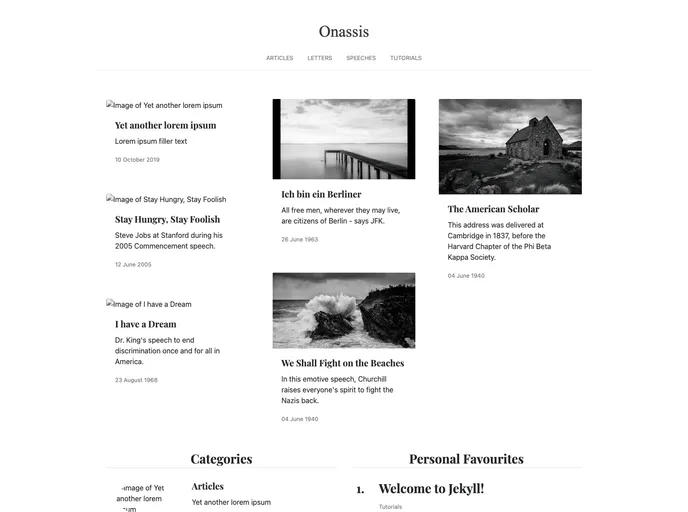
The Onassis Theme for Jekyll
The Onassis Theme for Jekyll is a free theme designed and developed by Alvaro Duran. It is available under the MIT license. The theme provides a modern and visually appealing design for websites built on the Jekyll platform.
To install the Onassis theme for Jekyll, follow these steps:
Fork the repository: Go to the Onassis theme repository on GitHub and click on the “Fork” button to create a copy of the repository in your own GitHub account.
Clone the repository: Once you have forked the repository, clone a copy of your fork onto your local machine using the following command:
git clone https://github.com/your-username/onassis.git
git checkout -b my-new-feature
Make necessary changes: Customize the theme according to your needs and preferences. You can modify the layout, styling, and content of the theme.
Commit and push changes: Once you have made all the necessary changes, commit your changes and push them to your GitHub repository:
git commit -m "Add my new feature"
git push origin my-new-feature
The Onassis Theme for Jekyll is a free and visually appealing theme designed by Alvaro Duran. It offers a clean and modern design, responsive layout, and seamless integration with the Jekyll platform. Installing the theme involves forking the repository, cloning it to your local machine, making necessary customizations, committing and pushing the changes, and finally opening a pull request to merge your changes into the original repository.