Overview
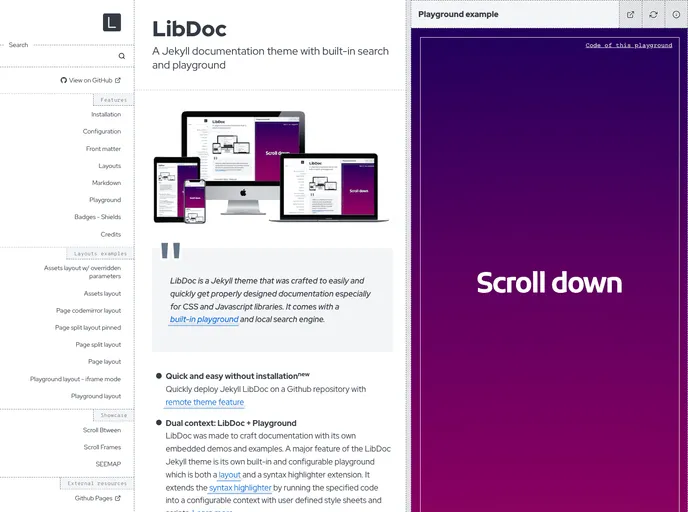
Jekyll LibDoc is a documentation theme designed for creating well-designed documentation for CSS and Javascript libraries. It provides a built-in playground and local search engine, making it easy to create and navigate through documentation projects.
Features
- Quick and Easy without Installation: Easily deploy Jekyll LibDoc on a Github repository with the remote theme feature.
- Dual Context: LibDoc + Playground: Craft documentation with embedded demos and examples using the built-in and configurable playground.
- Gem and Plugin Free: No need to install any Gems or plugins to use LibDoc.
- Github Pages Compatible: Fully compatible with deploying projects on Github Pages.
- 5 Layouts: Dedicated layouts for common documentation usages.
- Assets Grid: Visitors can view, download, or copy URLs of specified resources on your project.
- Local Search Engine: LibDoc includes its own internal search engine based on lunr.js.
- Multiple Lazy-Loaded Playgrounds: Add multiple playgrounds on documentation pages, loaded once into the viewport.
- Can Work Locally: LibDoc can be run locally with Jekyll serve or any http host, even without an internet connection.
- Customizable Settings: Editable settings in the configuration file config.yml.
- Front Matter: Optional parameters can be set in the front matter of each page and layout.
- Github Flavoured Markdown: Native support for Github Flavoured Markdown.
- Metadata: Supports social network metadata for proper social sharing.
- Sidebar: UI components for navigation through the project.
Installation
To install Jekyll LibDoc, follow these steps:
- Clone the repository to your local machine:
git clone [repository-url]
- Navigate to the cloned directory:
cd [repository-directory]
- Install the necessary dependencies using Bundler:
- Configure the theme settings in the
config.yml file. - Run Jekyll to build the site:
- Access the site in your browser at
http://localhost:4000.
Summary
Jekyll LibDoc is a documentation theme specifically designed for creating well-designed documentation for CSS and Javascript libraries. It comes with a variety of features such as a built-in playground, local search engine, and customizable settings. It is easy to install and compatible with Github Pages. Overall, it provides a convenient and efficient way to create and navigate through documentation projects.